

You’ve probably heard about “refurbished tech” as a way to save money, fight e-waste, or find deals on devices—but also felt nervous about risks: Will it really work? Will the battery be terrible? Will customer service vanish if something breaks? That’s where Back Market enters the picture.
In this guide you’ll learn how the platform operates, what to look for, how to evaluate sellers and devices, and how to shop smarter and safer. By the end, you’ll be confident in buying refurbished tech—and avoiding common pitfalls.

What Is Back Market?
Back Market is an international online marketplace that connects buyers with professional refurbishers and resellers. Rather than refurbishing devices itself, the company carefully vets and approves third-party specialists to list their products on its platform.
Operating in more than 15 countries, Back Market maintains a consistent global standard while adapting to local regulations. Its regional sites — including Back Market US, Back Market UK, Back Market France, and Back Market Germany— all follow the same strict quality controls, warranty requirements, and transparency policies to ensure a safe and reliable shopping experience for every customer.
Back Market’s mission is to make high-quality refurbished tech more trustworthy, accessible, and sustainable—offering devices like smartphones, laptops, tablets, consoles, and accessories at lower cost than brand-new while maintaining quality controls.
Because it acts as a middleman, Back Market enforces rules and standards for sellers. This includes inspection protocols, warranty obligations, and transparency about device condition.
Why consider Back Market?
| Benefit | What It Means for You |
|---|---|
| Lower cost | Devices often cost up to 70% less than new equivalents. |
| 1-year minimum warranty | All Back Market devices include a baseline warranty for peace of mind. |
| Quality control / inspection | Devices go through testing and refurbishment by vetted partners. |
| Better sustainability | Buying refurbished reduces waste and carbon footprint versus always buying new. |
| Marketplace transparency | Buyers see ratings, seller profiles, and condition gradings. |
That said, no marketplace is perfect. You’ll want to understand how Back Market operates and where risks or inconsistencies may arise.
How Back Market Works in Practice
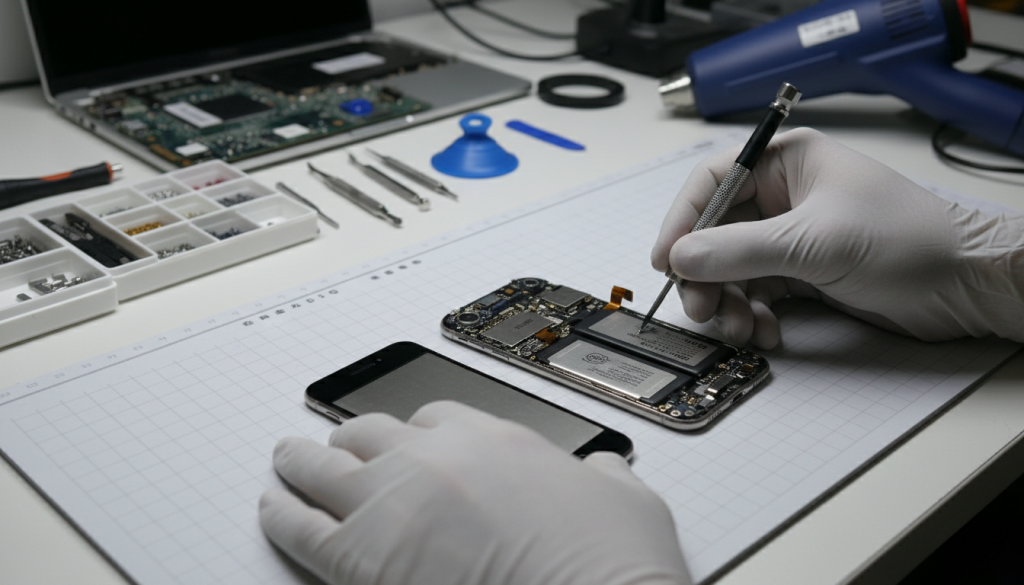
If you want to know how Back Market works, here’s the full lifecycle from listing to purchase and aftercare.
1. Seller onboarding & vetting
Refurbishers must apply and go through a screening process. Back Market accepts only a fraction of applicants and monitors their performance. Many sellers are existing refurbishing firms, telecom trade-in operations, or specialty repair businesses.
2. Device restoration & inspection
Sellers refurbish devices: repair or replace damaged parts, test functions, clean, reset software, and erase user data.
Depending on the device type, the inspection covers various components:
- Smartphones / tablets: screen, battery, camera, charging port, buttons, WiFi/Bluetooth, IMEI/serial, speaker/mic
- Laptops / computers: keyboard, trackpad, display, ports, internal storage, RAM, cooling, battery
- Gaming consoles / accessories: input buttons, ports, firmware, controllers, disc drives (if applicable)
Back Market calls items passing these processes “Verified Refurbished.”
3. Listing & condition grading
Each device is listed with a condition label (for instance: Fair, Good, Excellent, or “Premium / Like New”). Sellers disclose physical and functional details, battery health, cosmetic notes, included accessories, etc.
Back Market often highlights which refurbisher stands behind the listing, and buyers can see seller ratings and reviews.
4. Buyer purchase & warranty
You select the device, complete checkout, and Back Market handles payment processing. The seller ships the item. Back Market acts as customer support liaison.
Because Back Market mandates a minimum one-year warranty, defective units can often be repaired, replaced, or refunded under that warranty.
Many devices also come with a 30-day return policy if they don’t match description.
5. After delivery & diagnostics
Once your device arrives, you set it up like any new device. Back Market encourages use of its “diagnostics” tool (through their app/website) to check that all components are functional.
If there’s a problem, you file a warranty claim or return via Back Market’s support. The company mediates with the seller to resolve the issue.
How to Shop Safely: Tips & Best Practices

Knowing what Back Market is and how it works is the starting point—but smart shoppers go further. The following tactics help reduce risk and increase satisfaction.
A. Compare devices by condition and price
Don’t just go for the cheapest. Devices marked “Fair” or “Good” may have visible wear or battery wear; “Excellent” or “Like New” tend to be safer bets. Use price differences to assess risk.
B. Review seller ratings and reviews
Check how many sales the seller has, their average rating, and recent feedback. Avoid sellers with low volume or many complaints. Back Market allows buyers to view seller profiles.
C. Check battery health and cycle count (if possible)
For devices with batteries, battery wear is a critical metric. A refurbished phone with a battery near end-of-life is a hidden cost. Ask or check whether the battery has been replaced.
D. Use diagnostics immediately
Run all functions: camera, WiFi, sensors, ports, audio, touch, etc. Use Back Market’s diagnostics tool or third-party apps. If a defect surfaces, file a return or warranty claim quickly.
E. Keep all documentation and packaging
Keep original packaging, receipts, warranty documents, and communication records in case you need to invoke the warranty or return.
F. Understand the warranty & return terms
Read the fine print. The warranty may require you to pay for return shipping, or the seller may repair instead of replace. Know timelines and what’s covered.
G. Consider accessories and parts
If your device came with a charger, cable, or accessory, verify their authenticity and condition. In some cases, you may want to order replacements preemptively.
H. Factor resale, repairability, and software support
Choose devices that still receive software updates and for which spare parts are available. That extends usable life and reduces risk of obsolescence.
Pros, Cons & Real Feedback

Pros of Using Back Market
- Significant cost savings: Many buyers report saving hundreds versus new devices.
- Good customer reviews overall: Back Market’s review score is around 4.3/5 based on tens of thousands of buyers.
- Transparency and warranty: The mandatory warranty and clear grading help build trust.
- Environmentally friendly: Buying refurbished reduces e-waste and emissions.
Common Criticisms & Risks
- Inconsistent refurbisher quality: Not all sellers are equally rigorous, so quality can vary.
- Battery degradation: Some buyers receive devices with diminished battery capacity.
- Warranty or return friction: In disputes, warranty claims may require negotiation, and sometimes return shipping is on you.
- Refurbished ≠ new: Cosmetic flaws, missing accessories, or minor signs of wear may exist. Even “Excellent” condition can show some minor marks.
- Not a direct refurbisher: Because Back Market doesn’t refurbish itself, the platform is only as good as its sellers.
Real user reports echo both sides. Some buyers say their device “looked brand new, worked flawlessly”. Others warn about battery or accessory issues and urge caution.
Frequently Asked Questions (People Also Ask)
Is Back Market a scam?
No—Back Market is a legitimate platform with many satisfied customers and strong transparency controls. But like any marketplace, scams or bad refurbishes can slip through. Use the tips above to lower your risk.
Does Back Market refurbish devices themselves?
No. Back Market does not do the refurbishing. It partners with third-party refurbishers and only allows qualified vendors to list on its platform.
Do devices come with a warranty?
Yes—Back Market mandates a minimum one-year warranty on all listings. Some may come with shorter or extended warranty options.
How is refurbished different from “used”?
“Used” typically means sold as-is with no guarantees. “Refurbished” devices go through repair, inspection, testing, and cleaning before being resold. Back Market explains that difference clearly.
Can I return a device if something is wrong?
Yes—Back Market offers a return policy (often 30 days) for items that don’t match their description. Also the warranty gives you recourse for functional defects.
Final Thoughts & Action Plan

If you're asking “What is Back Market and how it works,” you now have a full map: what the platform is, how devices go from refurbisher to your hands, and how to shop reliably. Back Market can be an excellent way to save money while accessing quality tech and reducing environmental impact—but it requires diligence.
Here’s your 3-step action plan:
-
Decide your device & budget
Choose a device model, age, and price range you’re comfortable with (e.g. “iPhone 13, under $400”). -
Filter and vet
Use Back Market’s filters. Pick a condition you’re comfortable with (e.g. “Excellent”), and filter for top-rated sellers. Read a few recent buyer reviews. -
Inspect & test quickly
When the device arrives, run diagnostics immediately. Test functions, battery, camera, ports. If anything seems off, file a warranty claim or return while you still can.
You don’t have to accept hidden surprises. With care, buying from Back Market can yield a great device at a lower cost and with more sustainability than buying new.
The responses below are not provided, commissioned, reviewed, approved, or otherwise endorsed by any financial entity or advertiser. It is not the advertiser’s responsibility to ensure all posts and/or questions are answered.



Comments 1 comment
I’ve used Back Market twice now, both phones worked perfectly, it’s awesome that they test everything before shipping