

In today’s fast-paced digital world, writing has become one of the most essential skills for communication. Whether you’re a student working on essays, a marketer crafting content, or a professional sending daily emails, the ability to express ideas clearly and correctly defines credibility. However, even skilled writers make mistakes — grammar slips, awkward phrasing, or inconsistent tone can quickly reduce the impact of your message.

That’s where AI-powered writing assistants come in. Tools like Grammarly and ProWritingAid have transformed the way people write by offering real-time feedback, advanced grammar checks, and suggestions to enhance clarity and tone. These platforms use natural language processing (NLP) to identify patterns, detect weak structures, and even analyze readability, helping you sound more professional and confident.
While both Grammarly and ProWritingAid share the same goal — improving your writing — they approach it differently. Grammarly focuses on speed, precision, and convenience, while ProWritingAid goes deeper into the mechanics of writing, offering comprehensive analysis and long-term learning opportunities.
In this detailed comparison, we’ll break down how each tool works, explore their core features, evaluate their pros and cons, and help you determine which one best fits your writing style and goals.
Grammarly
Grammarly has become a household name among writers, professionals, and students alike. Launched in 2009, it has evolved into one of the most popular AI writing tools in the world. Its sleek interface, instant feedback, and cross-platform compatibility make it a go-to assistant for everyday writing tasks — from business emails to academic papers.
At its core, Grammarly focuses on providing fast, accurate suggestions that improve grammar, punctuation, clarity, and style. It doesn’t just highlight mistakes — it also explains them, helping users understand how to write better over time.
Main Features of Grammarly
- Real-time grammar and spelling check: Detects and corrects grammatical, punctuation, and spelling errors as you type.
- Clarity and tone suggestions: Offers recommendations to make your message sound confident, friendly, or formal depending on context.
- AI rewrite suggestions: Suggests rephrased versions of awkward or wordy sentences to enhance readability.
- Plagiarism detection: Compares your content against billions of web pages and academic databases.
- Seamless integrations: Works across major browsers, Google Docs, Microsoft Word, Outlook, Slack, and even social media platforms.
Pros and Cons of Grammarly
| Pros | Cons |
|---|---|
| Easy-to-use interface with real-time corrections | Premium plan can be expensive |
| Works across multiple browsers and devices | Limited offline functionality |
| Strong AI tone and clarity analysis | Some style suggestions may be too generic |
| Fast and accurate grammar checking | Doesn’t deeply analyze sentence variety or structure |
Grammarly’s real power lies in accessibility. It’s perfect for anyone who wants immediate, high-quality corrections without the need to study long reports. From quick blog posts to important emails, Grammarly ensures that your writing remains professional, error-free, and consistent across all platforms.
ProWritingAid
ProWritingAid, launched in 2012, takes a more analytical approach to writing improvement. While Grammarly aims for simplicity, ProWritingAid dives deep into the nuances of your writing, providing detailed reports that teach you how to improve. It’s not just an editor — it’s a writing coach designed for long-term development.
This makes ProWritingAid a favorite among authors, novelists, researchers, and anyone serious about mastering the craft of writing. It offers powerful analysis on sentence variety, rhythm, readability, and overused words — helping users not only correct their text but understand the why behind each suggestion.
Main Features of ProWritingAid
- Comprehensive writing reports: Over 20 reports analyzing grammar, style, pacing, clichés, transitions, and more.
- Contextual thesaurus and word explorer: Expands vocabulary and improves word choice without repetition.
- Detailed readability analysis: Evaluates sentence length, flow, and complexity.
- Integrations for authors: Works with Scrivener, Word, Google Docs, and Chrome.
- Learning tools: Offers in-app explanations and educational resources to help you grow as a writer.
Pros and Cons of ProWritingAid
| Pros | Cons |
|---|---|
| Comprehensive feedback ideal for serious writers | Interface can feel complex for new users |
| Lifetime license available | Runs slower on long documents |
| Detailed analysis of structure and style | Fewer instant corrections |
| Great for authors and long-form content | Design less modern than Grammarly |
ProWritingAid is ideal for users who appreciate depth. Rather than just fixing mistakes, it encourages you to learn from them. For writers aiming to build skill over time, its combination of analysis and insight makes it one of the most educational writing assistants available.
Grammarly vs ProWritingAid: Head-to-Head Comparison
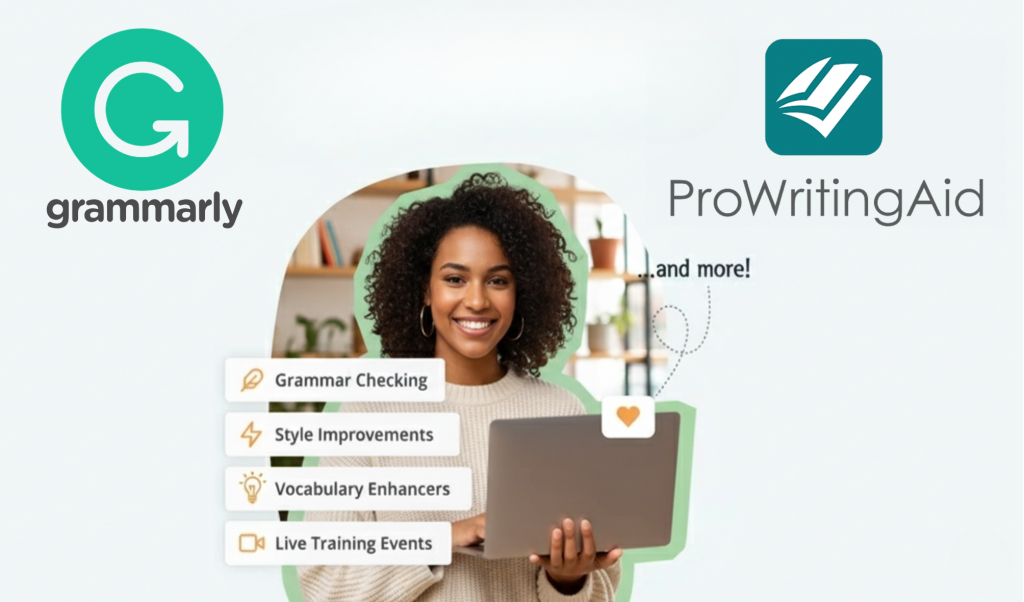
Both Grammarly and ProWritingAid are powerful, but their strengths appeal to different writing needs. Below is a direct comparison across the most important aspects.
1. Ease of Use
Grammarly is known for its clean interface and intuitive design. You can install it on your browser or device and start getting corrections instantly. ProWritingAid, while packed with features, may require a learning curve due to its many reports and customization options.
2. Depth of Feedback
This is where ProWritingAid shines. It doesn’t stop at catching grammar errors — it analyzes writing rhythm, sentence variety, and even emotional tone. Grammarly focuses more on surface-level clarity and grammatical precision, ideal for faster editing.
3. Integrations and Compatibility
Grammarly wins for everyday use since it integrates with practically every platform — from Google Docs to Gmail. ProWritingAid, however, offers deeper integrations for professional writers, especially those using Scrivener or Microsoft Word for long-form projects.
4. Pricing and Plans
Both offer free versions with basic functionality. Grammarly’s premium plan is subscription-based, while ProWritingAid offers flexible pricing including a lifetime license — perfect for long-term users who want to pay once and keep access forever.
5. Writing Style and Tone
Grammarly’s tone detector helps you match your message to your audience — whether formal, assertive, or friendly. ProWritingAid, on the other hand, analyzes stylistic elements like repetition, transitions, and pacing, helping you achieve a more refined writing style.
When to Choose Grammarly
Grammarly is best suited for those who write frequently and need quick, reliable feedback. If you produce a lot of business content, emails, or social media posts, Grammarly’s real-time corrections and clear interface make it the most convenient choice. It’s also excellent for non-native English speakers looking to improve fluency and avoid common grammatical errors.
When to Choose ProWritingAid
ProWritingAid is ideal for writers who want to grow their skills through analysis and reflection. If you’re a novelist, academic, or anyone who writes long-form content, its detailed reports help you understand not just what to fix but why. It’s a great tool for developing a consistent writing voice and improving overall narrative flow.
Verdict: Which One Should You Choose?
Both Grammarly and ProWritingAid are excellent writing assistants, but they serve different audiences and goals. Grammarly focuses on accessibility and speed, providing quick, high-quality suggestions that make your text shine instantly. ProWritingAid offers a more immersive learning experience, helping you become a better writer through detailed insight and long-term feedback.
In summary:
- Choose Grammarly if you value simplicity, accuracy, and real-time support across platforms.
- Choose ProWritingAid if you want to improve your writing depth, structure, and creative expression.
The Bottom Line

The truth is, there’s no single “best” writing assistant — only the one that aligns with your writing goals. Grammarly is ideal for fast, polished communication, while ProWritingAid is perfect for writers committed to mastering the art of language.
If your focus is productivity and clarity, Grammarly will help you write quickly and confidently. But if your goal is growth and refinement, ProWritingAid provides the depth and understanding needed to elevate your craft.
No matter which one you choose, both tools empower you to write with confidence — ensuring your words not only look correct but truly communicate your ideas with impact.
The responses below are not provided, commissioned, reviewed, approved, or otherwise endorsed by any financial entity or advertiser. It is not the advertiser’s responsibility to ensure all posts and/or questions are answered.